




Lineage2
Fast Augment System
A cleaner way to handle augment progression on Warland Legacy. The Fast Augment System is built to reduce repetitive rerolls, save time and help Lineage2 Interlude players move faster through weapon optimization.
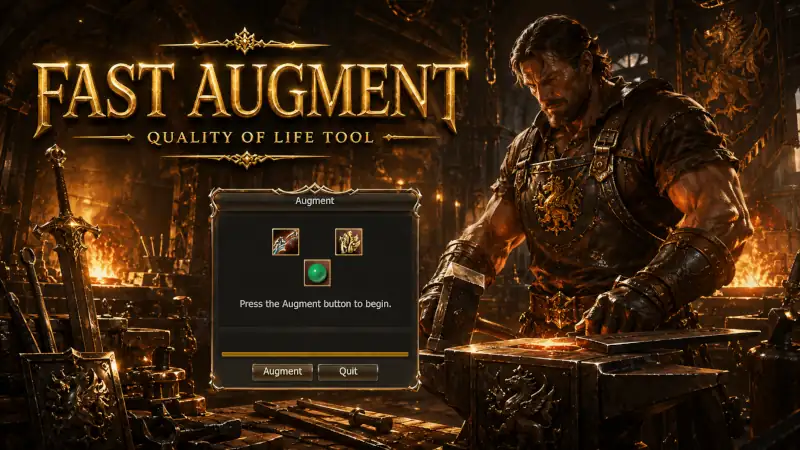
Your fast augment details guide
Warland Legacy treats augmentation as part of real character progression, not as a boring click marathon. The Fast Augment System is meant to speed up the mechanical part of augmentation so players can focus more on build choices, PvP preparation and long-term gearing inside a Lineage2 Interlude world.
What the system is for
Fast Augment is designed to cut down the slow and repetitive part of augmentation. Instead of wasting time in a loop of manual rerolls, players get a cleaner progression flow that helps them reach useful setups faster.
Why players want it
Augmentation matters, but endless repetition does not improve the game. This system reduces friction so players spend more time on fights, farming, Olympiad and clan content.
How it works
Equip the weapon, keep the required augment materials in your inventory, hold `Ctrl` and click a Life Stone. The system inserts the Life Stone into the weapon automatically and keeps repeating the augmentation process until a skill appears. When a skill is found, it stops automatically and removes the weapon from the player's hand.
The purpose of the tool is simple: keep augmentation relevant, but remove as much wasted time as possible from the process.
Why fast augment matters
The system supports faster build testing, cleaner progression and less dead time inside Warland Legacy Lineage2 Interlude gameplay.
Faster weapon setup
Players can move through augment decisions with less friction and reach usable setups more quickly.
Less repetitive clicking
The system is built to cut the boring part of augmentation, not to remove progression value from the game. It exists specifically to reduce the repeated click cycle that normally slows down augment rerolls.
More time for gameplay
Instead of losing time in menu repetition, players get back to Lineage2 Interlude PvP, bosses, sieges and farming faster.
Quick answers
How do I start the process?
Equip the weapon, keep all required augment materials such as gemstones in your inventory, then hold `Ctrl` and click a Life Stone to begin the fast augment cycle.
How do I continue after it stops?
When the system finds a skill, it stops automatically and removes the weapon from your hand. If you want to continue, equip the weapon again and repeat the process with `Ctrl` + click on the Life Stone.
Can I make it faster?
Yes. For better speed, place the Life Stones on your shortcut bar and activate them with the related `F` key, such as `F1`. The system will still require the normal augmentation materials in your inventory.
Build faster, play sooner
Use the Fast Augment System to spend less time on repetitive setup and more time where Lineage2 Interlude actually matters.